Summary of Samsung OLED TVs
Samsung’s OLED TVs, particularly the 2025 and 2026 models like the S95F, S95H, S90H, and S85H series, feature advanced display technology ideal for both cinematic content and competitive gaming. With self-illuminating panels and proprietary Glare-Free technology, these TVs minimize reflections, delivering vibrant colors and deep blacks in various lighting conditions. The NQ4 AI Gen3 processor enhances image quality through AI upscaling and improved motion handling, offering a superior viewing experience.
The integration of NVIDIA G-SYNC Compatibility starting with the 2025 models ensures synchronized refresh rates, helping to reduce screen tearing and input lag, making these TVs particularly suitable for immersive gaming. They also support AMD FreeSync Premium Pro and HDMI 2.1 features, ensuring versatility across gaming platforms. Although there are some limitations, including potential stability issues at high frame rates and burn-in risks, Samsung has implemented precautions to enhance durability while maintaining high performance.
Overview of Features
Samsung’s OLED lineup brings cutting-edge technology designed for excellent picture quality and gaming performance. The inclusion of the NQ4 AI Gen3 processor boosts processing speed, enabling near 4K AI upscaling and enhancing motion control. This combination results in smoother visuals and less motion blur, critical for both cinematic and gaming experiences.
These TVs excel with self-illuminating pixels, offering rich contrasts and wide viewing angles, beneficial for group sessions or multiplayer situations. Enhanced gaming specifications include refresh rates up to 165Hz, G-SYNC and FreeSync support, and Auto Low Latency Mode for minimal input lag, making them strong contenders for gamers seeking high performance and quality visuals.
NVIDIA G-Sync Compatibility
NVIDIA G-Sync technology synchronizes the display refresh rate with the GPU’s frame rate to eliminate artifacts like screen tearing. Integrated into Samsung’s 2025 OLED models, G-Sync enhances the experience by ensuring low latency and seamless visuals. Moreover, the 165Hz refresh rate on select models elevates the responsiveness, crucial for fast-paced gaming scenarios.
Official G-SYNC certification confirms compatibility, allowing users to easily activate this feature through the NVIDIA Control Panel. In addition, features like Auto Low Latency Mode automatically optimize settings, which simplifies the gaming experience further and ensures peak performance during gameplay.
Advantages for PC Gaming
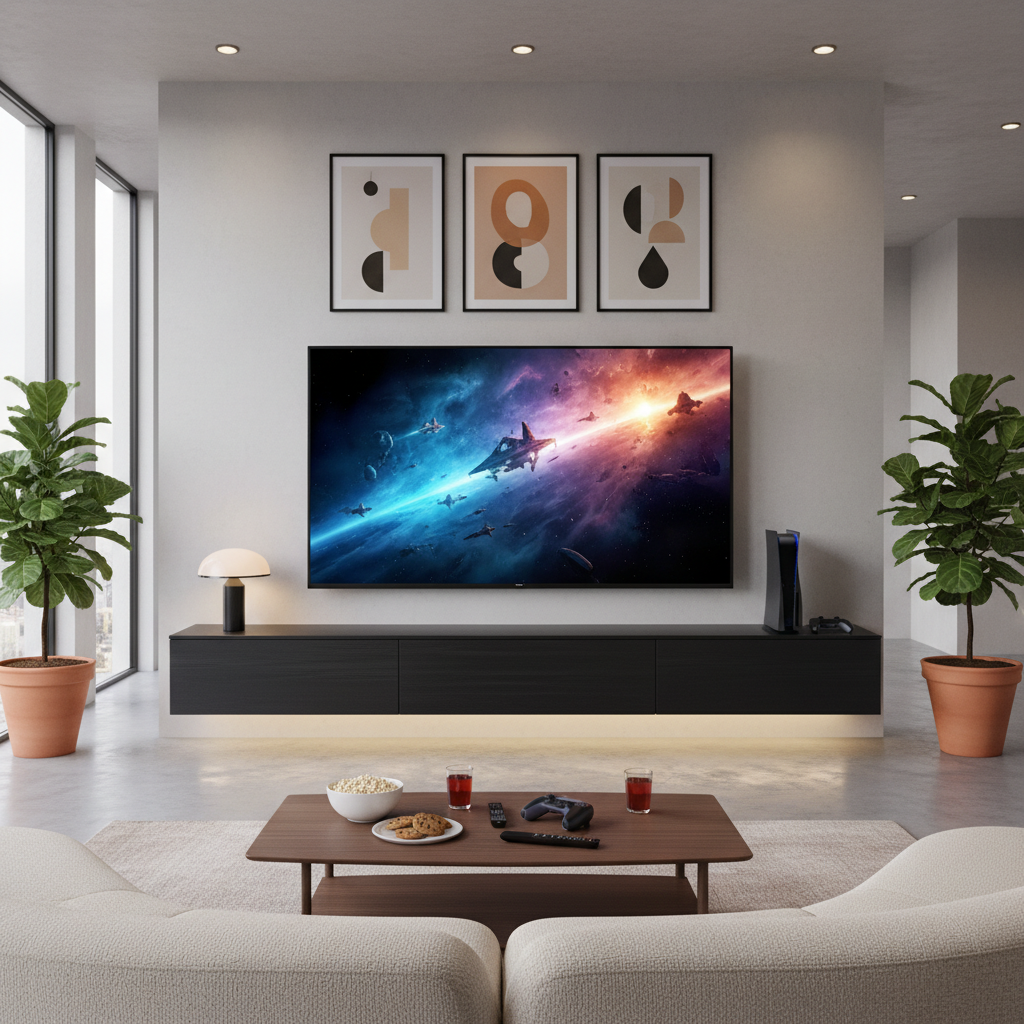
Samsung OLED TVs offer significant advantages for big-screen PC gaming, including ultra-fast response times and low input lag, essential for competitive play. G-SYNC compatibility ensures fluid motion, addressing stuttering and tearing effectively, while Motion Xcelerator technology supports high refresh rates for enhanced visual clarity.
Equipped with full HDMI 2.1 functionality, these TVs support 4K at 120Hz and AMD FreeSync Premium Pro, optimizing gameplay across various devices. Features such as AI Upscaling and HDR10+ ADVANCED further improve the visual experience, making these TVs suitable for immersive long gaming sessions, which are also supported by eye strain reduction technologies.
User Experience Insights
Samsung’s OLED TVs and Odyssey gaming monitors are crafted to deliver high-quality gaming experiences. For example, the Odyssey G6 model stands out with a QD-OLED display and rapid refresh rates, providing robust performance suited for gamers. G-SYNC functionality combined with features like Auto Low Latency Mode enhances gameplay fluidity, all while the Samsung Gaming Hub ensures quick access to cloud gaming services.
The automatic optimization through AI Auto Game Mode adds to the user experience, adapting settings in real time, which helps players stay immersed in their games. Additionally, technologies that reduce glare and enhance viewing comfort help maintain visual integrity during extended gaming sessions.
Setup Considerations
Setting up Samsung OLED TVs for an optimal gaming experience involves ensuring the correct connection through HDMI 2.1 to leverage high refresh rates and G-SYNC compatibility. Users typically need to activate VRR via the TV’s settings or NVIDIA Control Panel, which streamlines the gaming experience while offering variable refresh rates without the need for dedicated G-SYNC modules.
It’s crucial for users to understand these settings as well as the limitations regarding refresh rates above 120Hz, which may require adjustments to avoid potential performance issues. Overall, the combination of HDMI 2.1 support and features like ALLM ensures a seamless gaming setup tailored to high-performance needs.
Limitations to Consider
Even with their premium offerings, Samsung OLED TVs have some limitations, especially with G-SYNC performance at very high refresh rates. Users might experience issues when exceeding 120Hz, requiring careful adjustments to maintain optimal display performance.
Additionally, while technologies like Logo and Taskbar Detection aim to combat OLED burn-in, some users report minor panel degradation over time. Being aware of these potential challenges lets gamers approach their usage more thoughtfully, ensuring a better experience overall.
User Reception and Future Developments
Feedback on Samsung’s OLED TVs has been overwhelmingly positive, particularly regarding their performance and innovative features. Users commend the exceptional visual quality and effectiveness of G-SYNC integration, highlighting how it enhances gameplay fluidity.
Samsung’s commitment to advancing their technology includes plans for future OLED models that will remain compatible with G-SYNC and promise higher performance and longevity. Enhancements like HDR10+ ADVANCED support and improved measures against burn-in demonstrate Samsung’s dedication to delivering a superior gaming experience for the future. This ongoing evolution positions Samsung as a leader in the intersection of high-quality displays and gaming technology.
The content is provided by Avery Redwood, Home Upgrade News