Summary
Samsung’s All-in-One Mobile Monitor is a versatile display device that integrates the functionalities of a television, tablet, and gaming hub into a single portable unit. Designed for mobility and multi-environment use, models like the Movingstyle M7 Smart Monitor feature a 27- to 32-inch touchscreen with 4K UHD resolution, mounted on a sleek rolling stand or equipped with an integrated kickstand. This allows users to easily reposition the monitor throughout their home or workspace and enjoy up to three hours of battery-powered usage, combining convenience with high visual fidelity.
Powered by Samsung’s Tizen operating system and advanced Exynos processors, the monitor offers seamless access to streaming services, smart home control via SmartThings, and cloud gaming platforms such as Xbox Cloud Gaming and GeForce Now through Samsung’s Gaming Hub. It supports a wide range of wireless controllers and integrates features like Samsung DeX, enabling users to connect compatible Galaxy phones wirelessly and experience a desktop-like interface for productivity and multitasking.
The device’s software ecosystem further enhances user experience with preloaded Smart TV apps, productivity tools via Workspace, and personalization options including the Art Store and AI-generated wallpapers. Connectivity is robust, featuring multiple HDMI and DisplayPort inputs optimized for high resolution and refresh rates, while display technologies such as IPS and VA panels cater to diverse needs from professional color accuracy to immersive gaming visuals.
Reception of Samsung’s All-in-One Mobile Monitor has been generally positive, with praise focused on its design flexibility, portability, and multifunctionality. However, some users have expressed concerns regarding customer support and the practical realization of advertised refresh rates in gaming scenarios. Despite these criticisms, the device stands out as a unique hybrid offering in the monitor market, appealing to consumers seeking an integrated entertainment, productivity, and gaming solution.
Design and Features
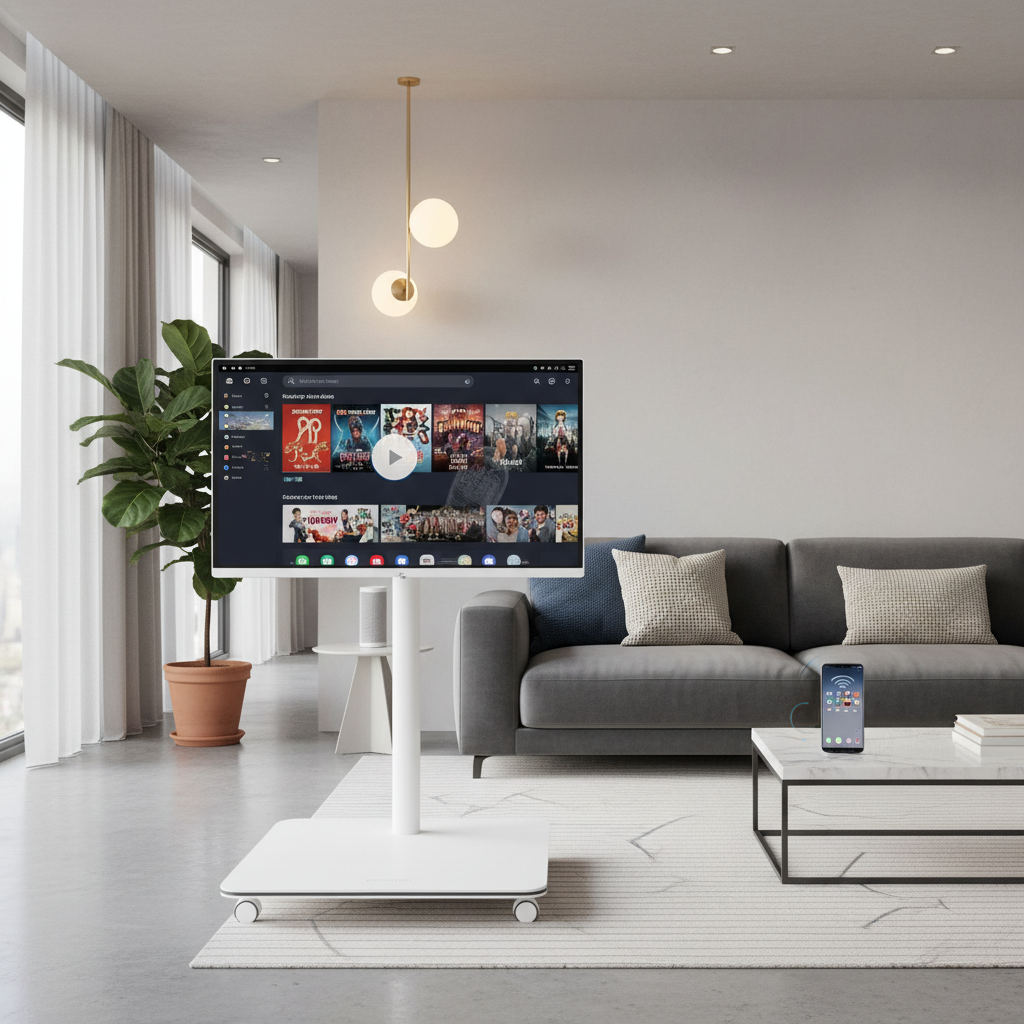
Samsung’s All-in-One Mobile Monitor embodies a versatile design that seamlessly integrates the functionalities of a TV, tablet, and gaming hub into a single device. One of the standout design elements is its mobility, exemplified by the Movingstyle M7 Smart Monitor model, which features a 32-inch 4K UHD screen mounted on a sleek rolling stand with hidden urethane wheels. This allows for quiet and stable movement across various surfaces, including hardwood and carpet, enabling users to effortlessly reposition the monitor throughout their home or workspace. Additionally, the Movingstyle model incorporates an integrated kickstand, allowing it to function like a tablet when placed on surfaces, further enhancing its adaptability.
Aesthetically, the monitor boasts a clean white design with a minimalist approach, complemented by a 13-foot power cable routed through the stand’s slim oval column to reduce clutter and maintain a streamlined look. This attention to design detail supports its role as a space-saving companion suitable for multiple environments.
In terms of display technology, Samsung offers a range of screen sizes and resolutions to cater to diverse user needs. The Wall All-in-One series, for example, comes in large formats such as 110-inch and 146-inch models, with preset modules facilitating a straightforward installation process and a bold visual impact. The monitors employ narrow-wavelength LEDs that produce RGB colors twice as pure and accurate compared to conventional LEDs, delivering vibrant and precise color reproduction. Moreover, professional-grade S-series monitors utilize IPS panels to provide crystal-clear color quality and wide 178° viewing angles, ensuring vivid visuals without color wash or fade from any perspective.
Regarding performance features, the monitors support various resolutions, including 4K UHD, which offers four times the pixels of Full HD, allowing for detailed images and expanded screen real estate for multitasking and content creation. The displays are optimized for different usage scenarios: IPS panels are favored for tasks requiring high color accuracy like photo editing and graphic design, while VA panels offer deeper blacks and superior contrast ratios, ideal for immersive movie watching and gaming experiences.
Connectivity options are robust, with multiple ports including HDMI and DisplayPort, the latter providing higher resolutions and refresh rates depending on the version and connected device. Samsung advises users to employ high-quality, high-speed cables to maximize performance and compatibility. Additionally, some models integrate smart features such as access to productivity tools through Workspace, the Samsung Health app, and a wide selection of art via the Art Store, as well as AI-driven generative wallpapers.
Functionality
The Samsung Movingstyle All-in-One Mobile Monitor offers a versatile user experience by combining the features of a large tablet, smart TV, and gaming hub into a single portable device. At its core, the monitor features a 27-inch touchscreen with up to three hours of rechargeable battery life, allowing users to watch and interact with content freely across different rooms without the need for constant power connections. Powered by Samsung’s Tizen 3.5 operating system, the Movingstyle provides seamless access to popular streaming platforms such as Netflix, Disney+, and Samsung TV Plus, functioning effectively as a smart TV. The device also includes Samsung’s SmartThings Hub, enabling users to control and monitor their smart home devices directly from the monitor.
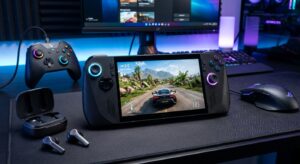
Gaming capabilities are a significant aspect of the Movingstyle’s functionality. It incorporates Samsung’s Gaming Hub, which provides instant access to multiple game streaming services including Xbox Cloud Gaming, GeForce Now, and Amazon Luna, without the need for additional consoles. The hub supports thousands of games across multiple genres, all navigable via Bluetooth or USB 2.0-compatible controllers. Compatible controllers include popular options such as the Sony DualSense, Razer Kishi, Gamesir X2, and HyperX Clutch, catering to various phone sizes and gaming preferences. This integration allows users to enjoy cloud gaming experiences with minimal input lag, provided network and hardware conditions are optimized.
Moreover, the Movingstyle serves as a productive tool by supporting Samsung DeX, which lets users wirelessly connect compatible Galaxy phones to the monitor, enabling a desktop-like experience for multitasking and app management on a larger screen. This feature expands the monitor’s utility beyond entertainment to include efficient mobile office work and enhanced phone control.
Software and User Interface
Samsung’s All-in-One Mobile Monitor integrates a versatile software ecosystem designed to enhance productivity, entertainment, and connectivity. The device allows users to control their smartphone directly from the monitor, opening apps and delivering a desktop-like experience that is ideal for multitasking or enlarging content otherwise difficult to view on a small phone screen. This seamless interaction bridges mobile and desktop environments, providing flexibility and convenience.
The monitor comes preloaded with various Smart TV apps, enabling users to watch free live and on-demand content without additional devices. With the Gaming Hub, instant access to streaming platforms and gaming consoles is also available, making the monitor a comprehensive entertainment hub. Additionally, the SmartThings Hub integration connects the monitor to smart home devices, expanding its role beyond a traditional display.
Productivity is further enhanced through Workspace, which provides fast and easy access to productivity tools, supporting efficient work-from-home scenarios without the need for a separate PC. Augmented Reality features are available through the Shop Samsung app, offering users an engaging and interactive way to explore the monitor’s capabilities and configurations quickly out of the box. Overall, the software and user interface of Samsung’s All-in-One Mobile Monitor deliver a cohesive and dynamic user experience tailored to modern lifestyles.
Hardware Specifications
The Discover Samsung All-in-One Mobile Monitor is powered by the latest Exynos processors, delivering a balance of high performance and energy efficiency. It features the Exynos 2400 chipset, which incorporates a tri-cluster deca-core CPU and a hexa-core GPU, designed to enhance processing power while reducing power consumption through a 3rd generation 4nm low-power process node. Additionally, the Exynos 2400 utilizes a Fan-out Wafer Level Package (FOWLP) for improved thermal management, enabling longer and more intensive usage during gaming and app operation.
For graphics performance, the monitor benefits from the advanced XClipse GPU series integrated within the Exynos processors. The Exynos 2400 is equipped with the XClipse 940 GPU, which provides a vibrant and responsive gaming display. Earlier models like the Exynos 2500 featured an upgraded Xclipse 950 GPU with a two-shader engine structure, boosting ray tracing performance by 28% due to enhancements such as instance transform hardware acceleration. The Exynos 2200 introduced AMIGO technology, an advanced multi-IP governor that dynamically adjusts CPU and GPU operations to extend battery life without sacrificing performance, promising console-quality graphics on mobile devices.
Connectivity options emphasize the use of DisplayPort over HDMI for superior resolution and refresh rates, though actual performance depends on the DisplayPort version supported by the external device and the monitor itself. Users are advised to refer to the monitor’s user manual to determine the optimal cable and port configuration. Minimizing the use of adapters or dongles by directly connecting devices with the latest cable versions is recommended to ensure the best experience.
Audio capabilities vary across different monitor models, and professionals involved in tasks such as video editing should consult specific Samsung monitor specifications to confirm suitability for their audio requirements.
Use Cases
Samsung’s All-in-One Mobile Monitor serves multiple purposes, combining features of a TV, tablet, and gaming hub to meet diverse user needs. One primary use case is entertainment, where users can watch free live and on-demand content through Smart TV apps and gain instant access to popular streaming platforms. The device also supports gaming through the Samsung Gaming Hub, which allows connection of wireless controllers to play games from services such as Xbox Cloud Gaming without requiring a console. This gaming functionality is enhanced by a 120Hz native refresh rate and the ability to run on battery for up to three hours, effectively transforming the monitor into a large tablet ideal for casual gaming or educational applications.
For remote work and productivity, the monitor supports Microsoft Office 365 Suite and remote PC desktop access, making it an efficient tool for working from home. Wireless DeX enables users to project their Samsung mobile devices onto the monitor for a desktop-like experience, facilitating multitasking and easier viewing of mobile content. Additionally, built-in AirPlay 2 allows seamless streaming or sharing from Apple devices, enhancing compatibility across platforms.
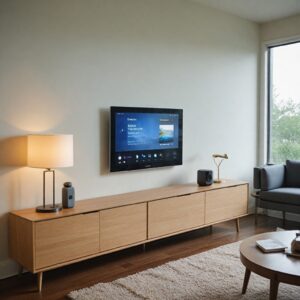
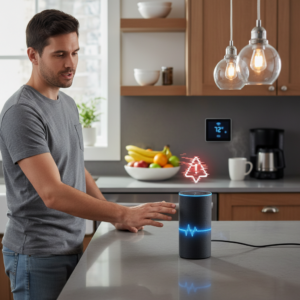
The device also functions as a smart home hub through SmartThings integration, allowing users to view all connected devices via a 3D Map View, track energy usage, and activate energy-saving modes. These features can be controlled through voice commands or a mobile phone, providing convenience without disrupting the entertainment experience. Security of sensitive data and IoT connections is a key consideration in this setup.
Comparisons with Similar Devices
Samsung’s All-in-One Mobile Monitor distinguishes itself through its versatility and seamless integration with multiple devices. Unlike traditional monitors, it offers multiple ports for connecting external devices such as PCs, gaming systems, soundbars, and smartphones. A standout feature is its compatibility with Samsung Galaxy phones, enabling wireless connection through Samsung DeX. This functionality allows users to control their phones, open apps, and enjoy a desktop-like experience on the monitor, enhancing multitasking and providing a larger display for content typically confined to smaller phone screens.
In comparison, most conventional monitors feature a standard 16:9 aspect ratio, suitable for general content viewing and productivity. However, newer standards such as 21:9 or even 32:9 are emerging to offer wider displays that improve multitasking and visual immersion. While Samsung’s device excels in connectivity and flexibility, traditional monitors often focus on screen size and aspect ratio improvements to enhance user experience.
When evaluating gaming performance, Samsung’s mobile monitor caters to casual and non-competitive gamers by emphasizing visual quality rather than extreme refresh rates. Many gaming monitors typically offer 144Hz or higher refresh rates, with some reaching up to 240Hz or 360Hz to reduce input lag and provide smoother graphics, essential for competitive first-person shooters and racing games. These gaming monitors also come equipped with features such as adjustable stands, customizable RGB lighting, and gaming presets to enhance gameplay visuals. Samsung’s device, by contrast, focuses on a balanced approach, delivering impressive visuals while maintaining the flexibility to function as a TV or tablet hub, making it suitable for a broad range of entertainment and productivity tasks.
Moreover, Samsung’s all-in-one solution integrates well with other Samsung technology, offering exclusive deals, volume pricing, and flexible financing options for business customers looking to leverage multiple devices within a cohesive ecosystem. This holistic approach sets it apart from single-purpose monitors, appealing to users who value convenience and multi-functionality in their displays.
Reception
The Samsung All-in-One Mobile Monitor has been praised for its versatility and portability, featuring a 27-inch touchscreen that can operate for up to three hours on a rechargeable battery. This allows users to easily transform any location into an entertainment or workspace setup, with the monitor rolling smoothly from room to room. Its ability to connect with phones and provide a desktop-like experience is especially appreciated, enabling multitasking and the enlargement of small screen content for better visibility. Additionally, features such as DisplayPort support and 4K resolution contribute to its appeal by delivering high-quality visuals.
However, the device’s reception has been mixed among users and reviewers. While some highlight its practical design and useful augmented reality features available through the Shop Samsung app, others express dissatisfaction, particularly regarding customer support experiences. Online communities such as Reddit and Facebook show a considerable number of negative comments about Samsung monitors in general, with some users reporting poor support despite the three-year warranty offered. This divide in opinion appears to stem from varying individual experiences and possibly regional differences in service quality.
Regarding performance, the monitor’s refresh rate has been a point of discussion. Although it supports high refresh rates, some users note that these rates are mostly achievable only in specific gaming scenarios, and the benefit depends heavily on the user’s computer capabilities and gaming needs. The choice between curved and flat screen designs also influences user preferences, as curved monitors may offer advantages in certain contexts but are not universally considered better.
Pricing and Availability
Samsung’s All-in-One Mobile Monitor is available for purchase on Samsung.com, with pricing and promotions subject to change without prior notice. Current offers are valid from July 28, 2025, to August 10, 2025, though availability and prices may be revised or orders canceled before shipment or payment receipt. Payment options include financing through Affirm Loan Services, LLC, which is licensed by the California Department of Business Oversight and may require a down payment and eligibility verification. These financing options may not be available in all states and depend on the purchase amount.
While individual monitor prices can vary, users have reported deals such as a 32-inch curved Samsung monitor priced around $170, although it is important to verify the specific model and features before purchase. Additionally, all sales on Samsung.com adhere to the full Terms of Sale, and monitors are typically sold separately from other components or modules that might be required for full functionality.
Warranty coverage for the product is governed by The Wall AIO warranty terms, and features or specifications may change without prior notice. Installation time estimates and module requirements vary depending on the specific model size, which may influence availability and overall pricing.
The content is provided by Avery Redwood, Home Upgrade News