Summary
Transform Your Apple TV into an Epic Karaoke Hub with the Latest Automated Home Feature is a comprehensive guide and overview of Apple’s recent introduction of Apple Music Sing, a karaoke experience integrated into the Apple ecosystem that transforms Apple TV 4K and compatible iOS devices into versatile karaoke hubs. Launched in late 2022, Apple Music Sing allows users to sing along to tens of millions of songs with real-time, time-synced lyrics and adjustable vocal levels, enabling solo, duet, and group performances without the need for traditional karaoke machines. This feature is notable for its seamless integration with Apple TV’s smart home capabilities, enabling a more immersive entertainment experience enhanced by visual effects, smart lighting, and automation.
Apple Music Sing’s karaoke mode is supported on Apple TV 4K (3rd generation) running tvOS 16.2 or later and requires devices equipped with at least an A13 Bionic chip, limiting availability to newer Apple hardware such as iPhone 11 or later and recent iPad models. The feature’s interface provides multiple lyric views and vocal adjustment sliders, while unique visualizer animations and live video feeds via Continuity Camera elevate the party atmosphere. Moreover, Apple TV acts as a dedicated HomeKit hub, enabling automated smart home routines—such as dynamic lighting and audio adjustments—that adapt to karaoke sessions and create personalized entertainment environments.
Despite its innovative approach, the karaoke feature faces certain technical limitations, including restricted Bluetooth microphone support and challenges in combining AirPlay or HomePod streaming with karaoke visual effects due to processing constraints on current Apple TV hardware. Users often rely on third-party accessories like external mixers and microphones to enhance sound quality. Additionally, Apple TV’s integration within HomeKit automations is limited, which affects the depth of smart home control during karaoke events. Nevertheless, forthcoming updates and next-generation Apple TV models are expected to address these issues, offering improved hardware performance, deeper automation integration, and advanced AI-powered features.
The convergence of Apple Music Sing and Apple TV’s automated home capabilities reflects a broader trend toward multifunctional digital entertainment that blends interactive music experiences with smart home technology. This evolution not only broadens the accessibility and appeal of karaoke worldwide—supporting multiple languages and cultural preferences—but also positions Apple TV as a central hub for interactive, automated, and immersive home entertainment.
Overview of the Latest Automated Home Karaoke Feature
Apple has introduced an innovative karaoke experience through its new feature, Apple Music Sing, which integrates seamlessly with Apple TV 4K and other Apple devices such as the iPhone and iPad. This feature allows users to sing along to their favorite songs with real-time lyrics and adjustable vocal levels, making it easier for anyone to participate in a karaoke session, whether performing solos, duets, or backup vocals. Apple Music Sing enhances the traditional karaoke setup by offering multiple lyric views that cater to different singing styles and preferences, all within Apple Music’s extensive lyrics experience. The feature is designed to be intuitive and accessible, supporting a vast catalog of tens of millions of singable songs that ensure a wide variety of music choices for users worldwide.
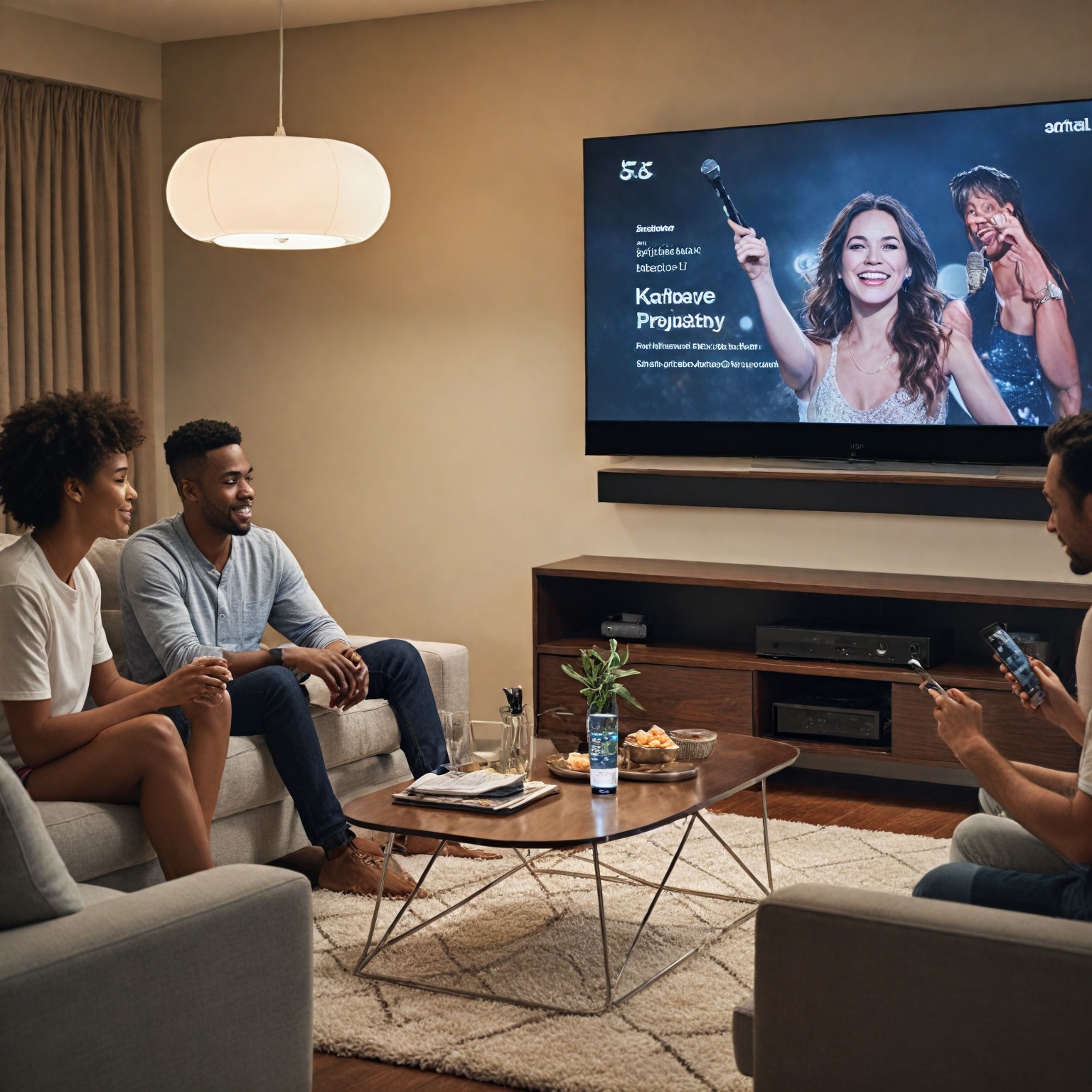
Additionally, the karaoke mode on Apple TV includes hidden visual effects that activate when mic mode is enabled. When at least one user connects their iPhone to the Apple TV, a “Visual Effects” option appears within the ellipsis menu, providing classic visualizer animations to accompany the singing experience and enhance the party atmosphere. This integration bridges the gap between simple karaoke machines and more immersive entertainment systems, leveraging Apple’s ecosystem for a richer user experience.
The combination of Apple Music Sing with Apple TV’s smart home capabilities also hints at future enhancements. With the anticipated integration of Apple Intelligence and tvOS updates, automated home features may soon tailor the karaoke environment by adjusting lighting, sound, and other settings based on user preferences and behaviors, creating a fully immersive and personalized karaoke party at home. This makes Apple TV not just a streaming device but a central hub for interactive and automated entertainment.
Compatible Devices and System Requirements
To fully utilize the latest karaoke feature, Apple Music Sing, on your Apple TV and other Apple devices, specific hardware and software requirements must be met. For iPhone users, the feature is supported on the iPhone SE (2022) and all models from the iPhone 11 through the iPhone 14 series, provided they are running iOS 16.2 or later. Similarly, iPad compatibility extends to the 5th generation 12.9-inch iPad Pro, 3rd generation 11-inch iPad Pro, 4th generation iPad Air, 6th generation iPad mini, and 9th generation iPad, also running iPadOS 16.2 or newer.
When it comes to Apple TV, the karaoke feature requires the Apple TV 4K (3rd generation) model released in late 2022, running tvOS 16.2 or later. This device is essential for using Apple Music Sing on a television, ensuring compatibility with the feature’s karaoke functionality.
A critical hardware specification is the requirement for devices to include at least an A13 Bionic chip or newer. This limitation restricts the karaoke feature to newer models and guarantees optimal performance and responsiveness during use, although Apple has not provided detailed reasons for this hardware prerequisite.
Additionally, using the karaoke function requires an active Apple Music subscription. This service offers a rich experience with features such as time-synced lyrics, lossless audio, and Spatial Audio with Dolby Atmos, contributing to an immersive and engaging karaoke environment across supported devices.
Key Functionalities and User Interface Features
The latest Apple TV models integrate a suite of smart home and entertainment features that collectively transform the device into a versatile karaoke hub. Central to this experience is the seamless compatibility with a wide range of accessories via the Home app, which supports the Matter connectivity standard, enabling broad interoperability with smart home devices. Acting as a dedicated home hub, Apple TV maintains persistent connections to smart devices and automates routines even when other Apple devices are not present, ensuring uninterrupted smart home operations.
User profiles on Apple TV are enhanced through integration with Siri voice recognition, allowing personalized content delivery and interaction. Siri can distinguish between users by recognizing individual voice profiles, even associating the voice of a user’s iPhone for automatic identification. This functionality enables Siri to switch profiles, play music, or recommend videos tailored to the current user’s preferences.
The karaoke experience itself is powered by Apple Music Sing, which offers real-time, time-synced lyrics to facilitate sing-alongs. Users can activate karaoke mode on supported songs by tapping the lyrics icon and adjusting the volume of the original artist’s voice through a microphone icon, allowing singers to modulate the prominence of vocals during playback. When Apple Music Sing is enabled, Dolby Atmos surround sound is temporarily disabled to optimize vocal clarity, resuming upon deactivation of the feature. This capability requires an Apple TV 4K (3rd generation) or later running tvOS 16.2 or newer.
Enhancements to user engagement include the use of Continuity Camera, which connects an iPhone or iPad to display a live video feed of the singer onscreen alongside the lyrics. This feature, paired with visual effects accessible via an ellipsis menu during mic mode, enriches the karaoke ambiance by overlaying dynamic imagery and augmenting the sing-along experience. For optimal vocal amplification, users often integrate external microphones and amplifiers with the system, as the Apple TV and HomePod output music while separate audio equipment can enhance the singer’s voice over ambient noise at gatherings.
Hardware and Software Support in Apple TV 4K (2022)
The karaoke feature on Apple TV, known as Apple Music Sing, requires the Apple TV 4K model released in late 2022 running the latest version of tvOS. This specific hardware and software combination is necessary to access the feature on a television, as it is currently not supported on Mac computers or Android devices through Apple Music.
A critical hardware requirement for using Apple Music Sing is a device equipped with at least an A13 Bionic chip or later. This limitation restricts the feature to newer Apple TV 4K models and compatible iPhones, although the exact reason for this hardware dependency has not been clarified by Apple. The Apple TV 4K (2022) is particularly well-suited for this use due to its integration within the Apple ecosystem, offering a smooth and enhanced karaoke experience.
In addition to the karaoke function itself, the Apple TV 4K (2022) supports extra features when using Apple Music Sing. For example, a classic visualizer can be activated during karaoke sessions when mic mode is enabled and at least one user connects with their iPhone. This visual effects option appears in the ellipsis menu on the right side of the screen but is only available when mic mode is active.
However, some limitations remain regarding connectivity and processing power. Attempts to combine karaoke features with AirPlay streaming or HomePod connections often result in functionality being disabled. This is likely due to lag or insufficient processing capabilities in the current Apple TV 4K hardware. Users can expect future iterations of the Apple TV 4K to better handle simultaneous use of these features.
Furthermore, the Apple TV 4K (2022) benefits from advanced Siri integration tied to user profiles. Siri can recognize the voice associated with the Apple Account used on the Apple TV or linked iPhone and automatically switch profiles, play music, or offer personalized recommendations based on the active user’s voice. This voice recognition feature enhances the personalized experience while using Apple Music Sing and other Apple TV functions.
Software and Apps Enabling Karaoke Experience
Apple Music Sing is the flagship karaoke feature integrated within Apple Music subscriptions since December 2022. It allows users to sing along to tens of millions of songs by adjusting the vocal levels of tracks, effectively creating a karaoke experience directly on Apple devices. This feature is tightly coupled with Apple Music’s real-time lyrics, enabling users to follow the lyrics as they sing. Apple Music Sing is compatible with devices equipped with at least an A13 Bionic chip, including iPhone, iPad, and the Apple TV 4K (2022 model and later) . The curated “Sing” section within Apple Music offers a wide range of karaoke tracks and playlists, including themed collections like holiday songs and duets, making it easy for users to find suitable material for their karaoke sessions .
Apple has emphasized expanding this immersive karaoke experience to enhance user engagement with music. Oliver Schusser, Apple’s vice president of Apple Music and Beats, highlighted that the evolution of the lyrics experience into a sing-along feature meets the global popularity of karaoke as a pastime . This integration offers a seamless and affordable alternative to traditional karaoke machines by leveraging existing Apple hardware and services .
In addition to Apple Music Sing, Spotify also provides karaoke-like features through its partnership with Musixmatch. Spotify Lyrics allows users to view real-time lyrics across mobile, desktop, and TV apps, with a limited rollout of a karaoke mode enabling users to sing along with their favorite tracks. This feature is accessible via the Now Playing view, where users can see scrolling lyrics to guide their singing . Although not as fully featured as Apple Music Sing, Spotify’s karaoke capabilities contribute to the broader ecosystem of music streaming services offering interactive singing experiences.
Together, these software and app options transform the Apple TV and compatible Apple devices into versatile karaoke hubs, leveraging streaming services with integrated lyrics and vocal controls to bring karaoke entertainment into the digital age .
Enhancing Karaoke with Automated Home Features
Apple TV not only serves as a powerful entertainment device but also functions as a central hub for controlling HomeKit-enabled smart home accessories, enabling users to enhance their karaoke experience through automation and smart home integration. By leveraging Apple TV’s capabilities as a dedicated home hub, users can seamlessly combine karaoke sessions with automated routines that improve convenience and immersion.
One notable feature is Apple Music Sing, a karaoke mode on Apple TV that allows users to use their iPhone as a microphone, with options to adjust vocal volumes and add emoji reactions for a more engaging sing-along experience. When mic mode is active, a hidden classic visualizer becomes available, enhancing the atmosphere during karaoke sessions. This visual effect is accessible through the ellipsis menu on the right side of the Apple TV interface, but only appears once at least one user connects their iPhone mic.
The integration of Apple TV with smart home accessories enables automation that can elevate karaoke parties. For example, users can program smart lighting to react to music or adjust the ambiance with motion sensors triggering lights as people move around during the event. Additionally, smart plugs and other devices can be controlled remotely or automated to create a seamless environment, such as turning on fans when temperatures rise or adjusting room lighting without manual intervention.
To achieve this level of automation, an Apple TV acts as the home hub that maintains constant connectivity with HomeKit accessories and manages automated routines even when users are away from home. This always-on capability ensures that smart home devices, such as smart speakers or lighting systems, remain responsive and ready to complement karaoke sessions at any time.
Furthermore, users can combine Apple TV with mixers and audio equipment to optimize sound output for karaoke, normalizing audio levels and integrating microphones effectively. The ability to designate any AirPlay-enabled speaker as the default speaker for Apple TV further enhances sound quality, especially when the TV is not connected to wired sound systems.
Third-Party Accessories for Karaoke Setup
Although Apple Music Sing offers a built-in karaoke experience on compatible iPhones and iPads, its integration with hardware accessories remains limited. The Music app does not natively support direct connection of microphones or other audio input devices, requiring users to explore third-party options to create a more immersive karaoke setup.
One popular approach involves using external microphones paired with speakers to amplify sound. Microphone kits designed for karaoke use can be purchased from various online retailers, such as Amazon, and typically feature outputs compatible with standard audio equipment. For example, the Rockville RKI65BT Dual UHF Wireless Microphones with a Bluetooth Karaoke Mic Interface provide multiple output options (3.5mm and 1/4” jacks) that can connect to external amplifiers or guitar amps. This setup allows the user’s voice to be routed through dedicated speakers, while the music playback continues through devices like Apple TV or HomePod.
However, Apple TV currently does not support pairing Bluetooth microphones directly, limiting the ability to integrate vocals wirelessly into the karaoke experience via this device. Users have expressed a desire for Apple to enable Bluetooth mic compatibility to better leverage Apple TV as a centralized karaoke machine, but this feature remains unavailable. Despite this, combining third-party microphones and external speakers remains a viable DIY solution to elevate the karaoke experience beyond what is possible with just an iPhone or iPad.
Technical Challenges in Feature Integration
Integrating advanced features like karaoke and home automation on Apple TV presents several technical challenges, primarily due to hardware limitations and software integration complexities. One notable issue is the inability to combine multiple audio and visual features simultaneously. For instance, the visualizer effect that activates during mic mode in Apple Music Sing stops when users connect to AirPlay or HomePods, suggesting that current processing power may not support running these features concurrently.
Another challenge lies in the integration of Apple TV controls within the HomeKit ecosystem. While Shortcuts allow users to control Apple TV functions such as turning the device on or off and launching apps via the Remote App, this integration does not extend fully to HomeKit automations. Specifically, the Remote App is unavailable for triggering automations directly through HomeKit, limiting seamless interaction between Apple TV and other smart home accessories. This gap affects the potential for fully automated scenes that include Apple TV, such as those that control lighting and entertainment together without manual intervention.
Furthermore, audio management during karaoke sessions poses difficulties. The default vocal volume slider in Apple Music Sing adjusts the original artist’s voice but does not fully remove vocals, which can affect the clarity of the user’s singing in a party environment. To enhance vocal presence, some users resort to external amplification setups, using separate microphones and amplifiers alongside Apple TV and HomePod audio output, indicating that native audio processing may not yet meet all karaoke needs.
Looking ahead, these challenges highlight the need for more powerful hardware and deeper software integration. Apple is expected to address these limitations with upcoming devices, such as a new Apple TV 4K model anticipated to deliver the necessary processing capabilities to support simultaneous feature use and more comprehensive automation. Until then, users seeking an epic karaoke hub experience must navigate current constraints in
User Experience and Cultural Impact
Apple TV’s integration with karaoke features, particularly through Apple Music Sing, has significantly enhanced the user experience by transforming the device into a versatile entertainment hub. Users with compatible hardware—specifically devices equipped with an A13 Bionic chip or later, such as the iPhone 11 or newer paired with a third-generation Apple TV 4K—can access a dedicated karaoke section within Apple Music. This section offers curated playlists, including holiday and duet songs, allowing for a varied and engaging sing-along experience. The karaoke feature includes pronunciation assistance across multiple languages and scripts, such as Cantonese to Jyutping, Hindi to Romanized Hindi, and Korean to Katakana and Romanized Korean, broadening its accessibility to diverse cultural groups.
From a usability standpoint, Apple TV’s role as a Home Hub enhances the convenience of controlling HomeKit devices remotely and automating schedules, contributing to a seamless and integrated smart home environment that complements entertainment activities like karaoke. Users have expressed enthusiasm for leveraging their existing Apple devices for karaoke rather than investing in traditional karaoke machines, highlighting a shift towards digital and multifunctional solutions for home entertainment. The improved sound quality and louder audio output compared to portable alternatives have also been noted by users, indicating positive reception in terms of performance and enjoyment.
Culturally, the availability of karaoke on Apple TV and Apple Music Sing supports a globally popular pastime by making it more accessible and convenient. By offering extensive language support and easy integration with existing smart home setups, Apple has tapped into the social and communal aspects of karaoke, fostering shared musical experiences across households worldwide. This evolution reflects broader trends in digital media consumption and interactive entertainment, where devices serve multiple functions to enrich everyday life.
Step-by-Step Guide to Setting Up Apple TV as a Karaoke Hub
To transform your Apple TV into a karaoke hub, start by opening the Music app on the device. The built-in Apple Music Sing feature allows you to host karaoke parties or practice singing with the added benefit of putting yourself onscreen for an immersive experience.
First, ensure you are using the Apple TV 4K model released in late 2022 or later, running the latest version of tvOS, as Apple Music Sing currently only supports this hardware and is not available on Mac computers or Android devices.
While a video is playing, activate Apple Music Sing by swiping up on the Apple TV remote’s touchpad, then tapping the picture-in-picture icon. This will shrink the video into a small window, allowing you to continue watching content while singing or browsing other apps.
For audio setup, consider connecting a karaoke mixer system with built-in microphones. For example, the sound output from the Apple TV can be sent via HDMI into a mixer that manages microphone input and audio levels, then outputted through HDMI to your TV and receiver. This setup helps normalize audio levels for a balanced karaoke experience. Note that pairing Bluetooth microphones directly with the Apple TV is not currently supported, so external mixers remain the best option for enhanced sound quality and effects such as reverb.
To ensure seamless operation, verify that your Apple TV and any connected devices are on the same Wi-Fi network with a strong signal. Also, check that all cables are securely plugged in and that the TV volume is appropriately set to avoid any audio issues.
With these steps, you can enjoy a dynamic karaoke setup that integrates multimedia entertainment and interactive singing, all controlled through your Apple TV 4K and Apple Music Sing.
Troubleshooting Common Issues
One common issue when using Apple TV as a karaoke hub involves problems with AirPlay connectivity. This often occurs due to incorrect access settings. To resolve this, users should navigate to the Apple TV’s Settings menu, select AirPlay, and ensure the access setting is configured to “Everyone on the same network” before attempting to connect again. If problems persist, it is recommended to gather relevant debug logs by enabling them through Home Assistant with the following configuration: logger: logs: pyatv: debug homeassistant.components.apple_tv: debug. Providing these logs when reporting issues can significantly speed up support and troubleshooting.
Another frequent problem arises when the Apple TV does not appear in the device list for connection. This can result from the Apple TV not being powered on or not connected to the same Wi-Fi network as the controlling device. Users should verify all devices are properly connected and powered on before retrying. In some cases, internet provider modems might interfere with AirPlay functionality, and alternative solutions or compatible hardware might be necessary.
Users attempting to combine AirPlay or HomePod connections with karaoke features have reported interruptions or lag. This limitation is likely due to the current Apple TV hardware’s processing constraints, which prevent simultaneous use of certain features like visualizers and microphone input. However, a new Apple TV 4K model is expected to address these issues by offering enhanced processing power that can handle all functionalities seamlessly in the near future.
Additionally, while Apple TV supports extensive media and smart home integration, its role within HomeKit automations is somewhat limited because it is not treated as a traditional HomeKit device. This can restrict its inclusion in Scenes and Automations, posing challenges for users seeking deeper automation with karaoke setups. Future updates, including potential Apple Intelligence integration anticipated with the 2025 Apple TV, may bring smarter automation features that enhance user experience by learning behaviors and managing connected devices more efficiently.
Future Developments and Anticipated Enhancements
Apple’s next-generation Apple TV, expected to launch in late 2025, promises significant advancements that will transform it into a central hub for both entertainment and smart home automation. One of the key innovations is its enhanced HomeKit integration, which will support the Matter and Thread protocols, enabling improved device syncing, automation, and Siri control throughout the home. This integration will work seamlessly with HomePod and HomePod mini speakers to create a whole-home audio system, introducing room-specific automation and enhanced spatial awareness for a more immersive experience.
A notable experimental model, codenamed J595, may debut in 2026 or later featuring a motorized robotic arm capable of autonomously adjusting the screen angle to follow users, enhancing usability and interaction. All new smart home hardware associated with this Apple TV will incorporate Apple Intelligence, the AI platform announced in 2024, which allows Siri to provide more intuitive responses, automate routines, and offer contextual suggestions based on user location, time, and behavior.
On the entertainment front, the Apple TV operating system is being redesigned with Liquid Glass visuals and a dedicated karaoke mode to enhance user experience. To fully utilize the karaoke features, devices must have at least an A13 Bionic chip, which currently limits compatible hardware options. There is also community interest in expanding karaoke capabilities with real-time vocal features and support for Bluetooth microphones, although latency remains a concern for such implementations.
As a Home Hub, the upcoming Apple TV will enable advanced smart home functionalities including remote access to HomeKit devices, customized automation schedules, and energy management tools that monitor and reduce power consumption across connected accessories. These anticipated enhancements collectively aim to position the Apple TV not only as a premier entertainment device but also as an intelligent, automated control center for the modern smart home.
The content is provided by Sierra Knightley, Home Upgrade News