Summary
Uncover the Secret Smart TV Features You’re Missing: Transform Your Viewing Experience explores the advanced, often overlooked capabilities of modern smart televisions that go far beyond traditional viewing. Smart TVs integrate internet connectivity and sophisticated operating systems, enabling users to stream content, access apps, control smart home devices, and enjoy personalized entertainment—all from a single device. This article highlights how many consumers underutilize these features, missing opportunities to enhance picture and sound quality, simplify navigation, and expand the TV’s role as a central hub for gaming and home automation.
Unlike conventional televisions, smart TVs operate on versatile platforms such as LG’s webOS, Samsung’s Tizen, Roku OS, and Google TV, each offering unique hidden functionalities. These include voice control, automatic calibration, cloud gaming support, and integration with IoT ecosystems, which allow users to control lighting, appliances, and other connected devices directly through their TV interface. Additionally, many models feature advanced hardware components like RF remote sensors, built-in subwoofers, and diagnostic tools that remain untapped by average users but can significantly improve usability and performance.
The article also addresses challenges in feature discovery, such as complex menus, fragmented platforms, and default disabled settings, which often prevent users from fully leveraging their smart TVs. Furthermore, privacy and security considerations are discussed, highlighting concerns about data collection, always-on microphones, and the importance of managing privacy settings to protect personal information. Despite these issues, with proper knowledge and exploration, users can unlock powerful capabilities that transform their smart TV into an adaptable, personalized entertainment and productivity center.
By revealing these hidden and underused features, this article aims to empower consumers to maximize their smart TVs’ potential, improve their viewing experiences, and embrace the growing convergence of entertainment, gaming, and smart home control in one device.
Overview of Smart TV Technology
Smart TVs are television sets integrated with Internet capabilities and advanced computing features that go beyond the traditional function of simply displaying content. Unlike conventional televisions, which primarily act as display devices with limited vendor-specific customization, smart TVs run complete operating systems or mobile operating systems. These platforms allow users to access a wide range of applications, digital content, and connectivity options, effectively transforming the television into a versatile information appliance akin to a mobile device combined with a TV unit.
At their core, smart TVs merge the familiarity of traditional television viewing with the innovative possibilities offered by digital technology, creating a seamless entertainment hub that supports streaming videos, movies, TV shows, photos, and other media from the Web, cable or satellite channels, or local storage devices. The built-in operating system controls user interaction, navigation, and the availability of apps and features, often including popular systems like LG’s webOS, known for its clean interface and ease of use.
In addition to providing direct access to streaming platforms and applications, smart TVs are powered by advanced hardware and software that enhance the user experience by offering ease, adaptability, and a consolidated entertainment center. Features such as voice search and control, automatic updates for apps, and integration with other smart home devices contribute to the convenience and versatility of these devices. Although smart TVs tend to have a higher initial cost compared to conventional models, they can reduce the need for additional equipment like set-top boxes, ultimately saving money over time.
Standard Features of Smart TVs
Smart TVs come equipped with a variety of features designed to enhance the modern viewing experience by integrating internet connectivity and app support directly into the television. Unlike traditional TVs that primarily offer basic cable functions and channels, smart TVs provide seamless access to streaming services such as Netflix and Hulu through built-in Wi-Fi or Ethernet connections. This connectivity allows users to enjoy personalized content recommendations, advanced search capabilities, and easy navigation through a wide range of entertainment options.
One of the key advantages of smart TVs is their built-in, readily updated applications that ensure users have access to the latest features and content without needing additional devices. Many models also support voice control, allowing users to search for programs or adjust settings using simple speech commands, which adds convenience and ease of use to the viewing experience. In addition, some smart TVs incorporate gesture control and other advanced user interfaces to further improve interaction.
Another notable feature found on many smart TVs is the ambient or art mode. This mode transforms the television screen into a dynamic display that can show artwork, family photos, weather updates, or even mimic the surrounding wall color to blend seamlessly with room décor, turning the TV into a decorative element when not in use.
For users with extensive personal media collections from before the streaming era, smart TVs often support media server apps like Plex, Kodi, and Jellyfin. These applications enable streaming of locally stored movies, TV shows, or music directly to the TV, expanding the content options beyond online services.
Hidden and Underutilized Hardware Components
Modern smart TVs often include advanced hardware components that remain hidden or underutilized by many users, despite their potential to significantly enhance the viewing and entertainment experience. These components range from specialized remote control sensors to built-in audio systems and calibration tools designed to optimize picture and sound quality.
One of the lesser-known hardware features involves the types of remote control sensors embedded in smart TVs. While traditional TVs primarily use infrared (IR) sensors that require direct line-of-sight for remote operation, many smart TVs now support radio frequency (RF) sensors as well. RF sensors offer greater versatility and range, allowing users to control their TVs from different rooms or when obstacles block direct sightlines. Some models support both IR and RF controls, providing flexible options to suit various home entertainment setups.
Audio hardware in smart TVs has also evolved beyond simple built-in speakers. Certain models include integrated subwoofers and soundbars, which can elevate the audio experience without needing additional external equipment. However, even the best built-in systems have their limitations, and for users seeking immersive sound, connecting a separate sound system is advisable. To maximize compatibility and performance, it is important that the TV supports modern audio technologies such as Dolby Atmos. This technology treats sound as individual objects placed in three-dimensional space, creating a more realistic and enveloping audio environment.
Additionally, many smart TVs incorporate automatic calibration tools using built-in sensors or external devices like a phone’s camera. These tools adjust brightness, contrast, and sound dynamically according to ambient lighting conditions and content type. Such features help maintain an optimal and comfortable viewing experience throughout the day without manual adjustments.
Finally, hidden maintenance and diagnostic tools constitute another set of hardware features rarely accessed by typical users. These tools allow for clearing app caches, resetting unused services, and checking system diagnostics such as network strength, HDMI signal status, and available storage space. While these advanced menus are often intentionally difficult to access to prevent inadvertent misconfiguration, they can be invaluable for troubleshooting and system optimization by knowledgeable users.
Together, these underutilized hardware components contribute significantly to the overall performance and convenience of smart TVs, offering benefits that go beyond what is immediately visible on the screen.
Advanced and Lesser-Known Software Features
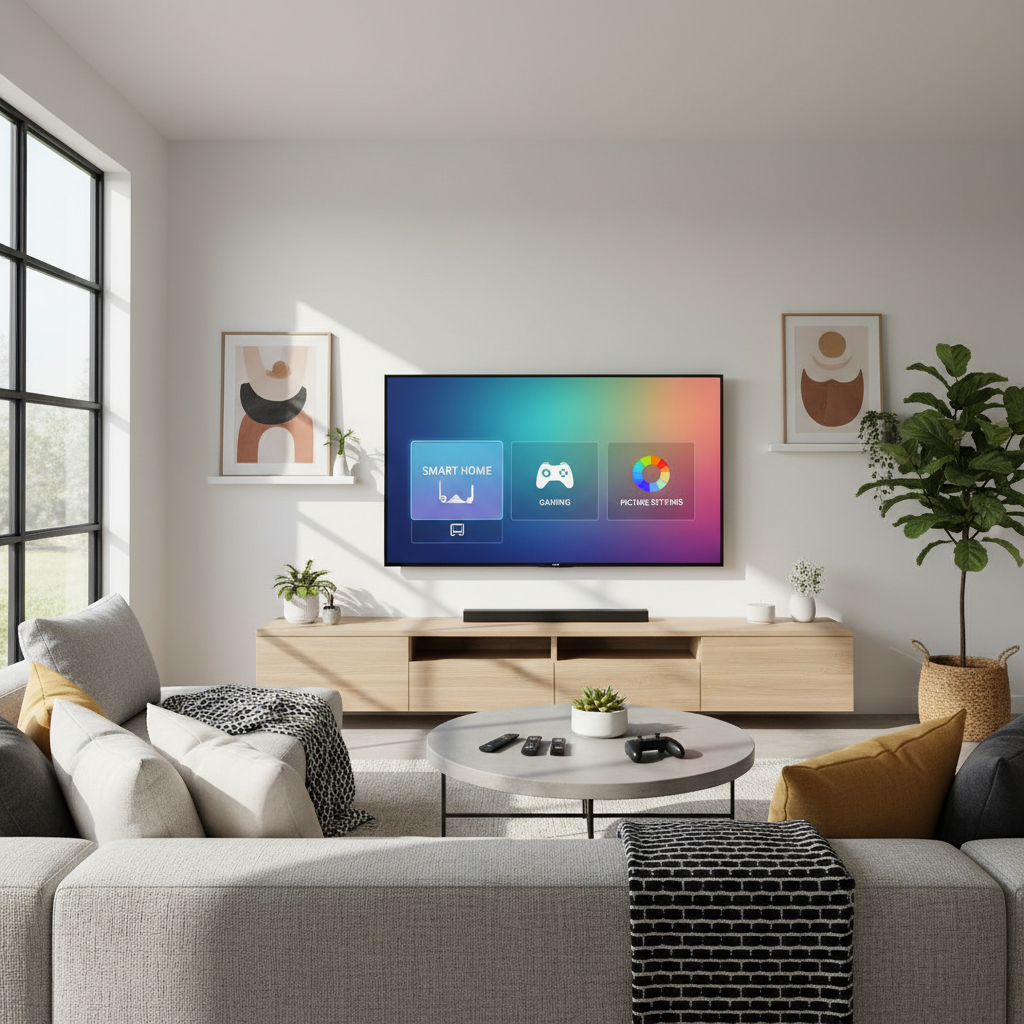
Smart TVs today are equipped with a variety of advanced and often hidden software features designed to enhance user experience beyond basic viewing. These features can improve picture quality, enable more intuitive control, integrate gaming, and even turn the TV into a central hub for smart home management.
Picture and Sound Enhancements
Many smart TVs include specialized viewing modes such as Cinema, Game, and Dynamic Contrast, allowing users to optimize picture settings tailored to different activities. These modes adjust parameters like brightness, contrast, and color profiles to deliver the best visual experience for movies, gaming, or everyday TV watching. Additionally, dialogue enhancement features help improve speech clarity in scenes where sound effects and background music may otherwise drown out dialogue, providing a clearer audio experience.
Voice Control and AI Integration
Voice control is a standout convenience feature on many smart TVs, enabling users to operate their device with simple voice commands. By pressing a microphone button on the remote, users can change channels, search for content, adjust volume, or ask general questions using integrated digital assistants such as Alexa or Google Assistant. Beyond basic voice commands, AI-driven user interfaces can dynamically adapt layouts, font sizes, and accessibility options based on individual usage habits, creating a personalized viewing environment. Some platforms also support AI avatars, which transform the TV from a passive screen into an interactive space catering to various lifestyle needs, including watching, gaming, working, and shopping.
Gaming Features and Controller Support
Smart TVs cater to gamers by supporting both casual and high-quality gaming experiences. Many models allow connection of game controllers via USB or Bluetooth, a feature that is sometimes hidden within the settings menus. Furthermore, cloud gaming platforms like Xbox Cloud Gaming, NVIDIA GeForce NOW, and Google Stadia can be accessed directly through smart TVs, enabling users to play console-quality games without the need for additional hardware. To fully utilize these services, users typically need a subscription to the respective gaming platform and may need to link their accounts from services like Steam, Epic Games, or Xbox.
Smart Home Integration and Device Control
Beyond entertainment, smart TVs can serve as central control hubs for smart home ecosystems. For instance, Samsung’s Tizen OS includes the SmartThings Hub, which allows users to access and manage compatible home devices such as humidifiers, air conditioners, lighting, and refrigerators directly from their TV screen. Major smart home platforms like Google Home and Amazon Alexa are also integrated into many smart TVs, enabling seamless voice control and automation of various IoT devices without switching to separate apps. This level of integration simplifies managing multiple devices and enhances convenience by centralizing control within the living room’s primary entertainment device.
User Profiles and Personalized Experiences
To accommodate multiple users, some smart TVs offer multi-user profile support, which provides personalized content recommendations, UI layouts, and preferences tailored to each individual. This feature ensures a customized experience for all household members, making it easier to access favorite content quickly and enjoy a user interface that adapts to personal viewing habits. Such personalization is supported by AI-driven adjustments that continuously refine accessibility and interface elements based on ongoing usage data.
Additional Hidden Functionalities
Other lesser-known software capabilities include improved content navigation through features like identifiable subscription rows on the home screen, where channel logos and content thumbnails help users easily visualize and access active subscriptions, addressing previous fragmentation issues. Moreover, smart TVs support casting from a wide range of devices and operating systems, making it simple to share content in group settings or enhance social viewing experiences. Some platforms also enable video calling and interactive features that further extend the TV’s role beyond traditional entertainment.
Together, these advanced and hidden software features significantly enhance the functionality and versatility of smart TVs, transforming them into dynamic and interactive entertainment and smart home hubs.
Discovering and Accessing Hidden Features
Many smart TVs come equipped with advanced features that remain hidden beneath the standard user interface, often inaccessible to the average user. These hidden functions can significantly enhance the viewing experience by offering tools for improved picture quality, diagnostics, and device management.
One primary way to access these features is through secret or service menus. These menus are embedded within the TV’s system software and typically require a specific sequence of remote control key presses to unlock. Because some settings within these menus are sensitive and can impact the TV’s functionality, manufacturers often keep the access codes confidential, sharing them only with official technicians or engineers. For example, Samsung and LG smart TVs have unique methods to enter their respective service menus, allowing users to adjust region and model information, perform screen calibration, and even update firmware directly from these menus.
Beyond service menus, many smart TVs also offer hidden capabilities such as playing games, displaying artwork, and integrating with smart home ecosystems. These features expand the TV’s role from merely a display device to a multifunctional entertainment and control hub. While navigating these hidden options may require some exploration, doing so can unlock powerful tools that enhance convenience, security, and overall enjoyment without needing additional hardware.
Users should approach these hidden features with caution, especially when adjusting settings in secret menus, to avoid unintended consequences. However, with the right knowledge and care, discovering and utilizing these hidden features can transform how one interacts with their smart TV, making it a more versatile and satisfying device.
Enhancing Navigation and Customization
Smart TVs have significantly evolved to offer more personalized and intuitive navigation experiences tailored to individual users. One key feature is the support for multi-user profiles, which allows each user to receive personalized content recommendations, adjust preferences, and customize UI layouts to their liking. Coupled with AI-driven UI adaptation, the interface can dynamically modify layouts, font sizes, and accessibility options based on the user’s habits and needs, making the TV experience both personalized and accessible.
To ensure ease of navigation, especially given the reliance on remote controls, smart TV interfaces often employ structured layouts such as grid-based designs. These layouts enable simple left-right navigation instead of complex scrolling, reducing the number of clicks needed to complete essential actions. Clear and visible indicators highlight the active selection, which helps even first-time users move through menus intuitively. Moreover, gesture-based navigation and voice control integration are becoming increasingly prevalent, allowing users to interact with their TVs hands-free, thereby expanding accessibility and enhancing overall usability.
Customization extends beyond basic navigation. Operating systems like LG’s webOS provide numerous options to tailor the user experience, from mundane tweaks to more substantial adjustments within sometimes obscure menus. Tools like LG TV Plus and Sony TV SideView offer interfaces to access advanced settings and hidden menus, facilitating deeper personalization and control over the TV’s functionality.
Furthermore, enabling voice assistants such as Alexa or Google Assistant empowers users to activate voice controls for hands-free navigation and even smart home integration. Users can also explore a wide range of third-party apps available in their TV’s app store, discovering features and services that go beyond traditional streaming. By combining these navigation improvements with customization options, smart TVs transition from simple display devices to adaptive hubs that respond intuitively to the viewer’s preferences and lifestyle.
Privacy and Security Considerations
Integrating smart TVs and other smart home devices with third-party services can expose users to significant privacy risks. Each connected service operates under its own privacy policies, which may vary in their strictness and transparency. For example, in 2018, the fitness app Strava unintentionally revealed the locations of secret military bases due to users’ smart device integrations, illustrating how seemingly harmless data sharing can lead to serious security breaches.
Smart TVs from major brands like LG, Samsung, and TCL collect extensive personal data, including viewing habits across streaming services, cable channels, and gaming activities. This data collection helps enhance content recommendations but simultaneously poses privacy concerns, as sensitive information could be exploited if accessed by unauthorized parties. Many models offer privacy settings allowing users to opt out of features such as voice data collection, interest-based advertising, and automatic content recognition (ACR) technologies. However, these options are often disabled by default, and users must actively enable them through menus such as Support > Terms & Privacy or Privacy Choices.
Voice control features present additional security considerations. Smart TVs equipped with voice assistants like Alexa, Bixby, or Google Assistant often have microphones that remain active even when the TV is off, allowing for quick response to voice commands. While convenient, this always-on microphone raises the risk of unintended audio capture and potential misuse. Users concerned about this should consider disabling or limiting microphone access to enhance their privacy.
Given the increasing trend of corporations seeking to collect and monetize user data, privacy-focused alternatives like Proton Mail and Proton VPN emphasize subscription-based models that prioritize user control over personal information, providing a safeguard against pervasive data collection practices. As smart devices become more integrated into daily life, understanding and managing privacy settings is essential to maintain security and protect sensitive information.
Consumer Accessibility and Cost Factors
Smart TVs are designed to cater to a broad range of users, prioritizing simplicity to ensure accessibility for all household members regardless of age or technical proficiency. Unlike mobile applications,
Challenges and Barriers to Feature Discovery
Despite the wealth of hidden features available on modern smart TVs that can enhance picture quality, connectivity, and user convenience, many users remain unaware of these capabilities due to several challenges and barriers. One major issue is that these features are often buried deep within complex menus or switched off by default, requiring users to explore sections like System, Display, Accessibility, or Smart Home settings to find and activate them. This complexity can discourage users from fully engaging with their devices’ potential.
The user interface (UI) and user experience (UX) design of smart TVs also play a critical role in feature discoverability. As televisions become packed with more advanced options, their interfaces grow increasingly complex, making it harder for users—especially those less technically comfortable—to navigate and utilize hidden functions effectively. Designing smart TV apps and interfaces that balance simplicity and functionality is crucial, as TV usage tends to prioritize ease of use over advanced features that may alienate certain user groups.
Another barrier arises from the fragmentation across different smart TV platforms. Applications and features that work seamlessly on one system may experience glitches or limitations on another, leading to inconsistent user experiences and reducing satisfaction. Additionally, developers face ongoing challenges in maintaining and updating apps to remain compatible with the latest operating system versions, which can affect the availability and performance of certain features.
Finally, the broader ecosystem of content and feature monetization adds complexity. Subscription-based and ad-supported models shape what content and interactive features are available, influencing how users interact with their TVs and discover new functionalities. This fragmented and evolving landscape, combined with technical and design challenges, contributes to the difficulty users face in uncovering and utilizing the full range of smart TV features.
Brand and Model Highlights for Hidden Features
Several smart TV brands and models stand out for their unique hidden features that enhance user experience beyond the standard offerings. Samsung’s Tizen OS, for example, is widely praised for its intuitive interface and extensive functionality. It features a sidebar with quick access to a gaming hub that supports cloud gaming services such as Nvidia GeForce Now, Amazon Luna, and Xbox Game Pass, allowing users to play high-quality games without a console. Samsung is notably one of only two TV brands to support the Xbox streaming app, providing a significant advantage for gamers. Additionally, Tizen integrates the SmartThings Hub, enabling users to control and monitor a wide range of compatible smart home devices directly from the TV, enhancing the convenience of managing interconnected home electronics such as humidifiers, air conditioners, and refrigerators.
Philips OLED TVs, such as the 2025 models, include privacy-focused settings tucked away under the Privacy section in the system menu. These settings allow users to manage advertising preferences, voice control data, and overall smart TV experience privacy choices, helping safeguard user information while enjoying smart features.
On the hardware front, 8K TVs have become more accessible, with models like the 65-inch TCL Roku TV 6-Series 8K (R648) offering premium resolution at a price point lower than some top-tier 4K smart TVs. This affordability makes advanced upscaling and picture quality improvements more attainable for average consumers, although early 8K models, such as the LG Z9 8K OLED, remain high-end and costly.
Regarding platform versatility, Google TV and Amazon Fire OS, both based on Android, bring familiar phone and tablet features to the big screen, supporting extensive app ecosystems and peripheral device compatibility. These operating systems offer flexible use cases, from media streaming to gaming, and can even be added to non-smart TVs via external devices. Roku, another popular platform, has recently improved user navigation by surfacing subscriptions clearly within its mobile app, helping users keep track of their active channels and content with ease. Roku devices range from budget-friendly options like the Roku Express to feature-rich models such as the Roku Ultra, catering to a variety of user needs and budgets.
Together, these brand-specific features demonstrate how exploring beyond default settings and menus can unlock a richer, more integrated smart TV experience without additional hardware purchases.
Specific Examples of Hidden Features on Popular Platforms
Smart TVs often come equipped with a variety of hidden features designed to enhance the user experience, many of which are tucked away in menus or disabled by default. Exploring these options can unlock powerful tools that improve picture quality, connectivity, and convenience without the need for additional hardware.
Samsung Tizen OS
Samsung’s Tizen operating system is known for its intuitive interface and organization. Beyond the standard rows of app icons, Tizen includes a sidebar that offers quick access to various functionalities such as search, ambient mode, Samsung Daily Plus (which covers fitness, productivity, and smart home controls), and a dedicated Gaming Hub. This Gaming Hub is a notable feature that provides access to cloud gaming services like Nvidia GeForce Now, Amazon Luna, and Xbox Game Pass. Samsung stands out as one of the few TV brands supporting the Xbox streaming app, allowing Game Pass subscribers to play console games directly on their TV without owning a console.
Tizen also supports deep voice assistant integration through platforms like Alexa, Google Assistant, and Bixby, expanding beyond simple voice search commands such as “Play Stranger Things” or “Go to HDMI1”. Additionally, since 2017, Samsung TVs incorporate a stability-monitoring system that manages memory usage by automatically terminating processes when necessary to maintain smooth performance.
Roku OS
Roku’s operating system emphasizes ease of access and content discovery with features that streamline the viewing experience. One such hidden feature is the universal watchlist, which aggregates content from all installed streaming apps into a single saved list. This prevents the need to scroll through each individual app when searching for something to watch, allowing users to add titles from any service directly into this master list.
Another powerful Roku feature is the master search capability. Instead of manually browsing each streaming platform, users can run a single search across Roku OS to find content available on any connected service, significantly reducing the time spent hunting for movies or shows. Roku continuously updates its OS to enhance these and other features, ensuring a more seamless and convenient streaming experience.
These examples highlight how exploring the settings and menus of popular smart TV platforms can reveal a range of powerful but often overlooked features, transforming how users interact with their devices and consume content.
Tips and Best Practices for Maximizing Smart TV Use
Smart TVs offer a wide range of features designed to enhance your viewing experience, but unlocking their full potential often requires some exploration and customization. One of the easiest ways to improve usability is by customizing your home screen. Users can rearrange favorite apps for quicker access, remove unnecessary ones to declutter the interface, and even add widgets for real-time updates such as weather or news. These adjustments create a more personalized and efficient entertainment hub.
Diving deeper into your smart TV’s settings can reveal hidden options that significantly improve picture and sound quality. Advanced settings like screen calibration allow for adjustments to brightness, contrast, and other display parameters tailored to your environment. Accessing secret service menus or codes can unlock diagnostic tools, firmware updates, and features not typically available to average users, which can enhance performance and fix issues without additional hardware.
Regular software updates are essential to maintain and enhance your smart TV’s functionality. Whether through over-the-air internet downloads or manual updates via USB, keeping the firmware current ensures access to the latest features and security patches. However, users should be aware that update rollouts can sometimes be inconsistent, with some devices responding better than others to new software versions.
To fully benefit from the convenience of smart TVs, users can leverage voice commands for searching programs or changing settings, making interactions effortless. Integrating smart home devices and third-party services can further expand capabilities but requires careful attention to privacy settings to avoid cross-device tracking and data retention concerns.
By exploring hidden features such as picture modes, parental controls, and connectivity options, viewers can tailor their experience to better suit their preferences without needing extra equipment. Ultimately, embracing these tips and best practices transforms a smart TV from a simple display into a comprehensive entertainment and productivity center that adapts seamlessly to modern lifestyles.
Future Trends in Smart TV Technology
As smart TVs continue to evolve, future trends are centered on enhancing accessibility, optimizing content discovery, and integrating innovative technologies to meet the ever-changing expectations of users. With 87% of U.S. households owning a connected TV as of 2022, the importance of intuitive and seamless user interfaces has become paramount. Designers now face the challenge of balancing increasingly complex features with simplicity, ensuring that the UI serves primarily as a tool to help viewers find and enjoy content with minimal effort.
One significant direction involves deeper integration with smart home ecosystems. Leading tech companies like Google and Amazon, major players in the Internet of Things (IoT) market, are incorporating their smart home platforms—Google Home and Amazon Alexa—directly into smart TVs. This allows the television to act as a central hub for controlling a variety of connected devices, such as lights, air conditioners, and appliances, providing a more unified and convenient user experience.
Voice and gesture recognition technologies are also expected to become more sophisticated, offering hands-free, immersive interaction. Modern smart TVs already keep microphones active even when turned off, enabling instant response to voice commands through assistants like Alexa, Bixby, or Google Assistant. While this enhances convenience, it also raises privacy concerns that manufacturers will need to address through improved user controls and transparency.
Moreover, the expansion of wireless communication technologies, including Radio Frequency (RF) sensors alongside traditional Infrared (IR) controls, promises greater versatility and range in device interaction. This will support more complex home entertainment setups, enabling users to control their TVs and connected devices more flexibly and intuitively.
Finally, as third-party app ecosystems grow, smart TVs will continue to unlock hidden capabilities beyond streaming, such as gaming support and productivity tools. However, with increased interconnectivity comes greater risks related to data privacy, particularly when integrating smart home devices and third-party services. Users and manufacturers alike will need to navigate these challenges carefully to balance innovation with security.
The content is provided by Blake Sterling, Home Upgrade News